Motorway iOS App & App Clip
Shipped a native iOS app enabling users to sell cars from their phone with App Clip support.
The Challenge
Dealers bid on cars they’ve never seen - they rely entirely on photos
Motorway sellers were struggling with photo quality. Our web-based photo app had a critical limitation: it couldn’t access native camera functionality or leverage device capabilities. Users took incorrect photos despite guidance - blurry, poor angles, fingers on lens.
Drop-off was high. Sellers were retaking photos repeatedly. Time-to-ready-for-sale was long due to poor photo quality. The web browser camera had quality limitations that meant dealers couldn’t zoom to inspect details.
Our initial hypothesis was wrong. We assumed users wanted speed - get them through photo-taking as quickly as possible. Discovery revealed users didn’t want speed. They wanted confidence and assurance. They needed to see their photos immediately, verify quality, and understand if they were taking shots correctly.
The Setup
A new team, new territory
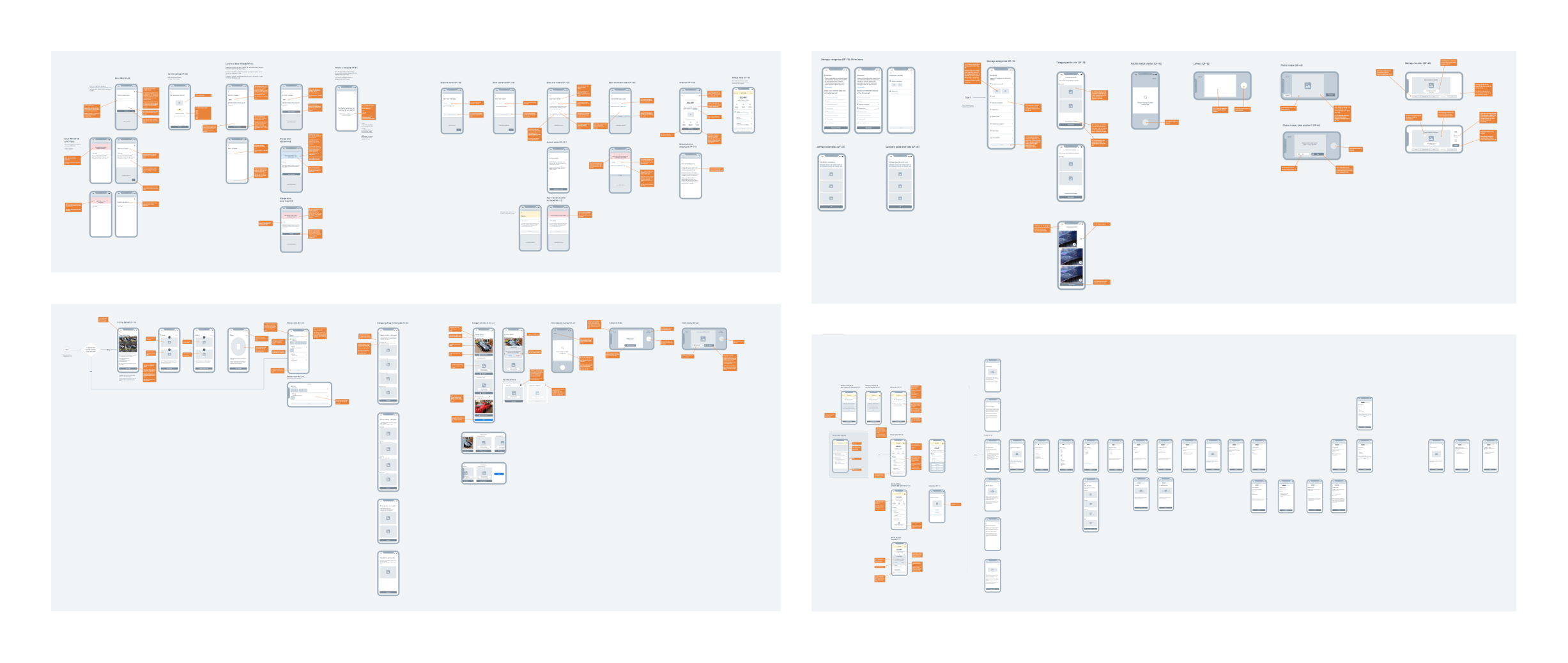
This was a true 0-1 project. I joined a brand new team of three people building something that didn’t exist at Motorway: native mobile. The developer and PM were new to the company; I was new to iOS design. There was no playbook, no precedent, no established way of working. I had to establish the design process, set the standards, make architecture decisions with incomplete information, and build team dynamics from scratch while shipping an MVP in 6 months.
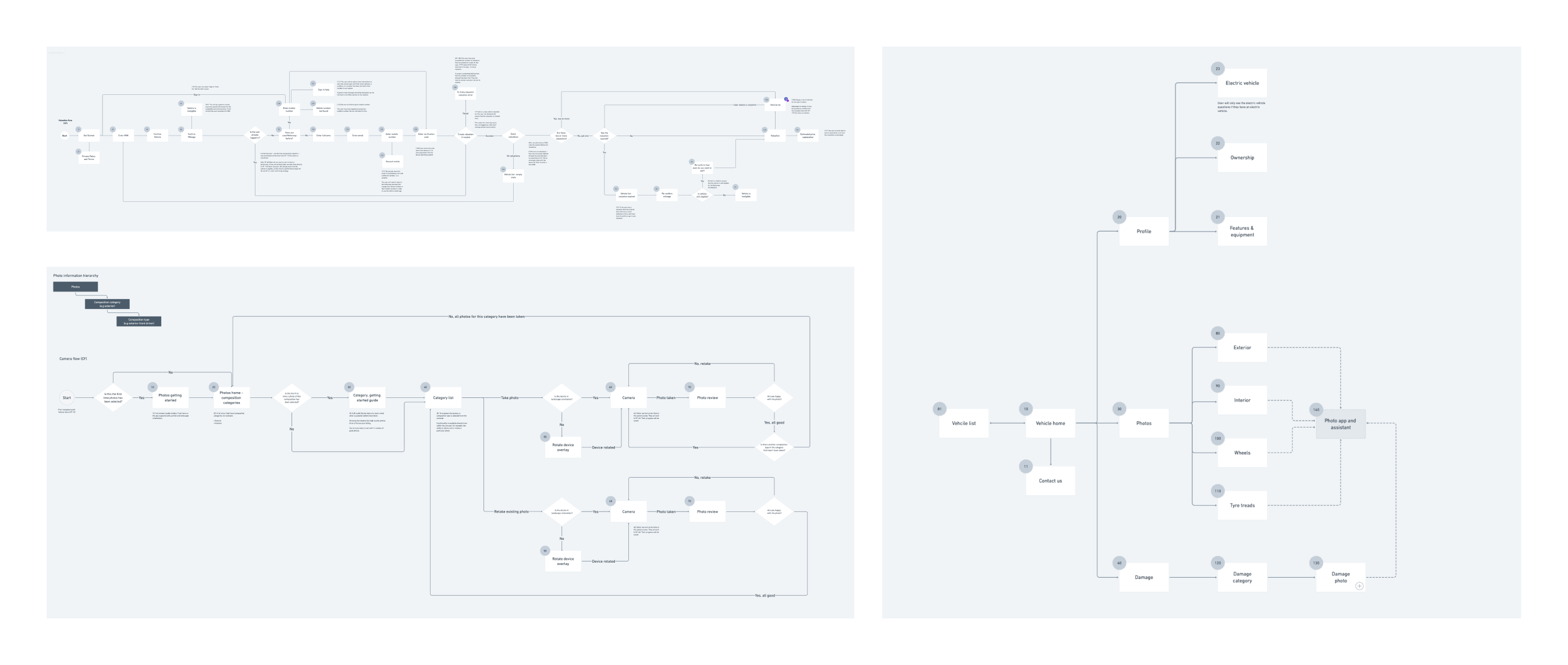
Early in discovery, we realised App Clips alone wouldn’t work - they require a full native iOS app to exist first. This expanded our scope: we needed authentication, profiling, valuation, and the photo experience. Rather than redesign the entire profiling journey, we did a “lift and shift” of the existing web experience into the app, focusing our innovation entirely on the photo-taking experience.
Discovery
What the data showed
We analysed thousands of photos taken on our web app. The patterns were revealing: most sellers took incorrect photos even with existing guidance. Common mistakes included blurry shots, poor lighting, wrong angles, and fingers on the lens.
Users retaking photos repeatedly suggested our speed-first approach had backfired. They needed immediate feedback - they wanted to see photos right after capture to verify quality.
This insight changed our entire approach. Instead of rushing sellers through the process, we deliberately slowed them down - but with guardrails, guidance, and confidence-building at every step.
Solutions
Adding friction that makes things faster
Native Camera + Mandatory Guidance
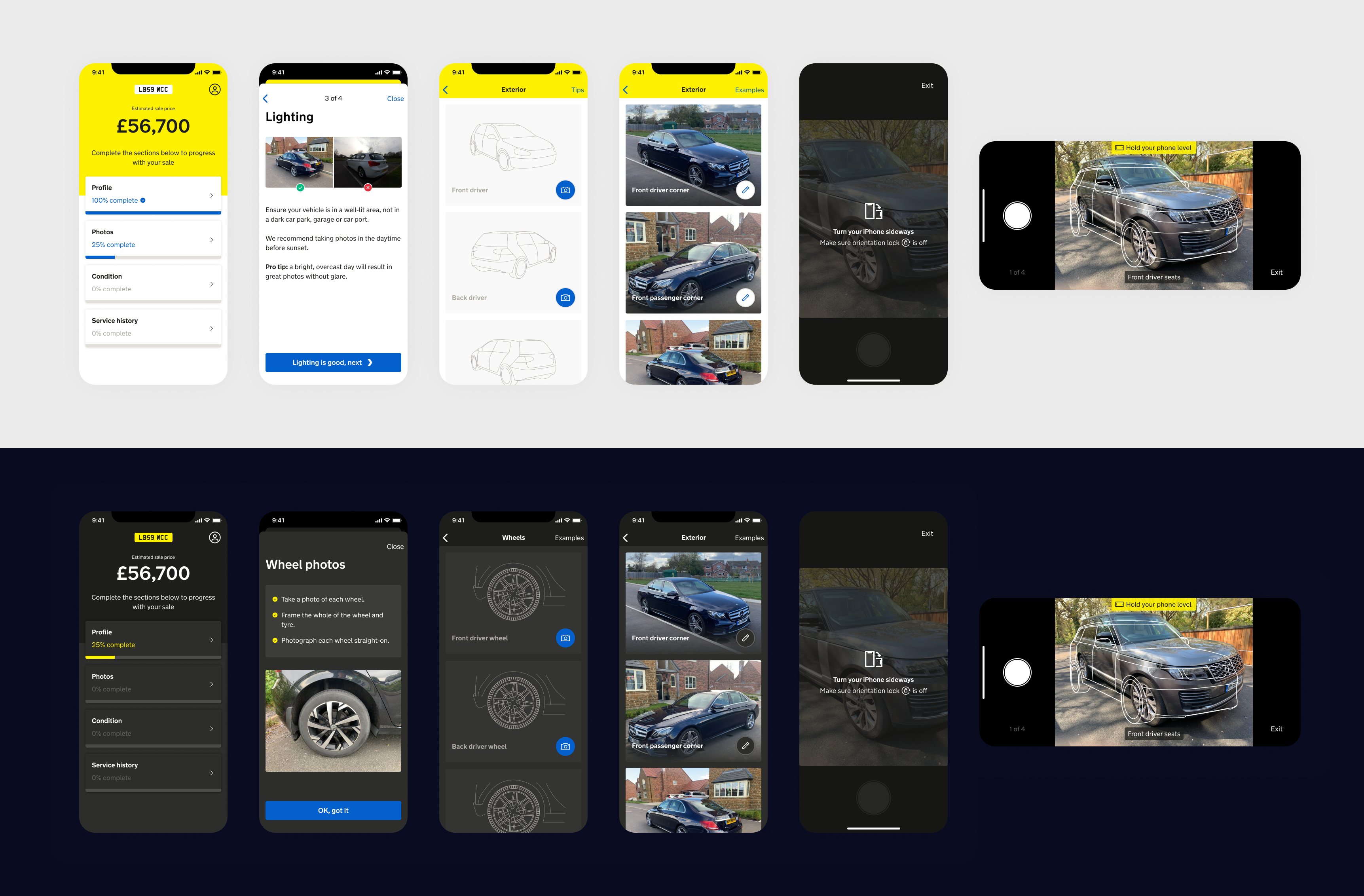
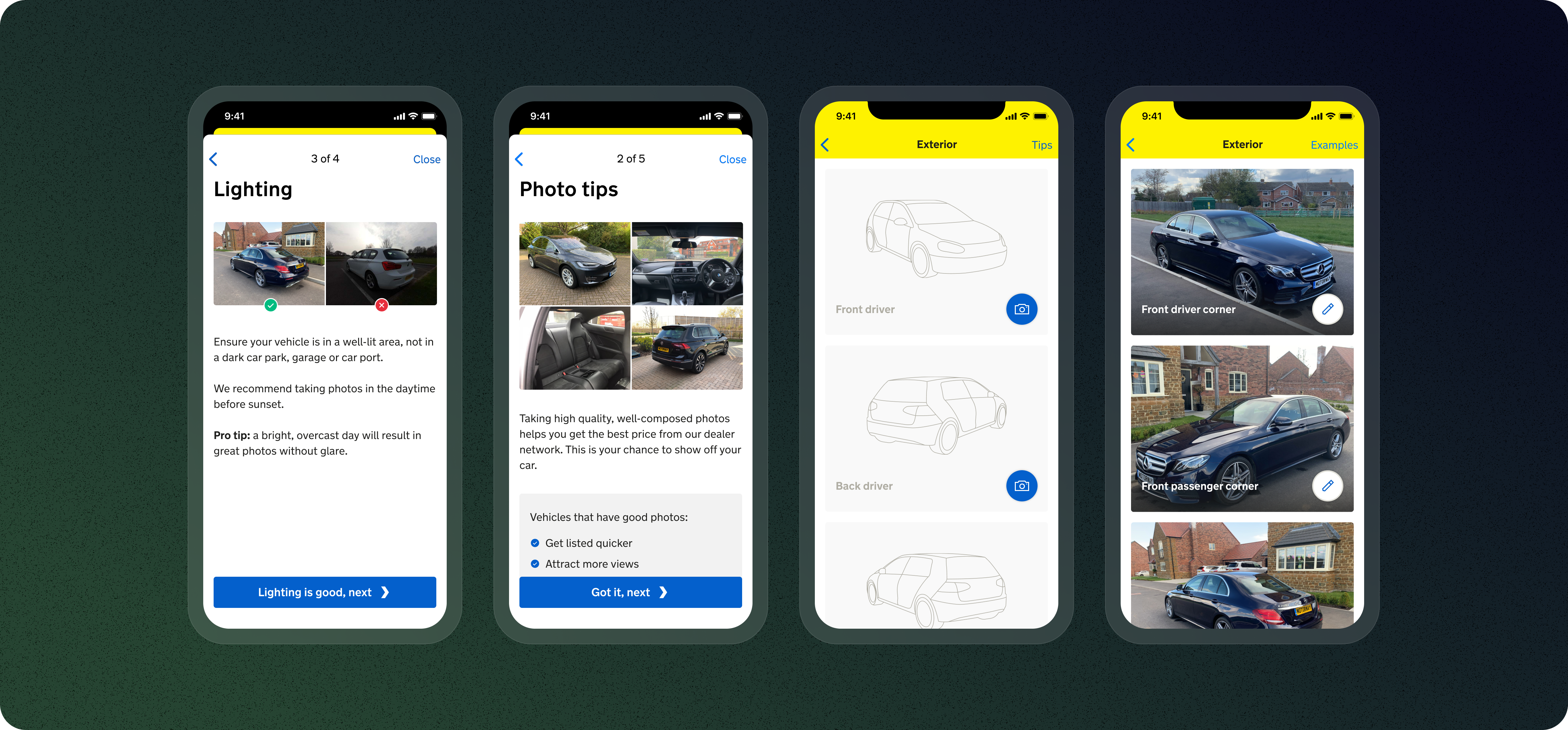
Leveraged the phone’s native camera for better image quality, paired with mandatory guidance shown before each shot. Users saw clear instructions and visual reference frames before they could press the shutter.
Accelerometer-Powered Level Detection
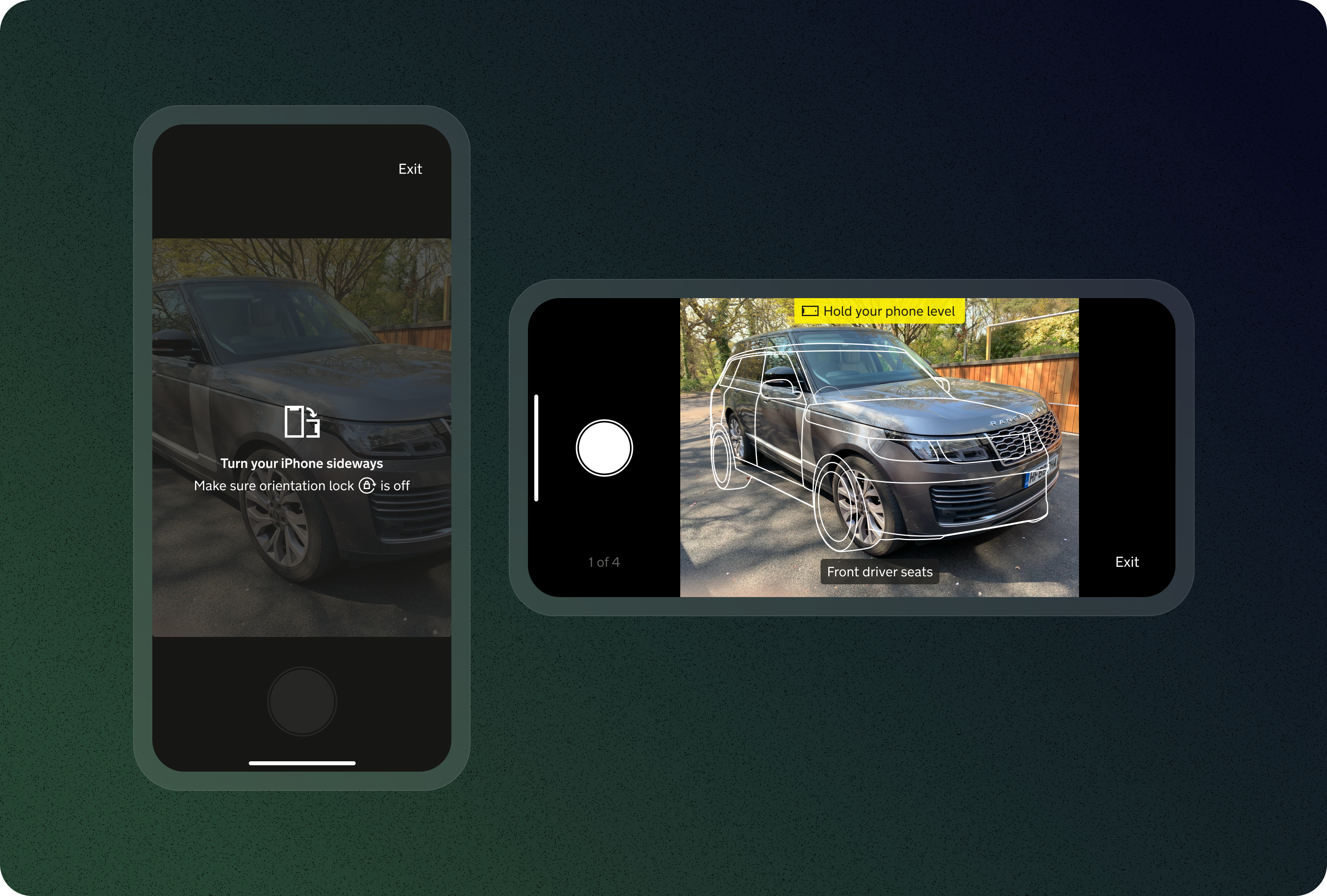
Our key innovation. The device’s accelerometer detected if the phone was level. A visual alert appeared on tilt; users could only capture when fully level. This single feature forced sellers to slow down, look at what they were capturing, and verify composition.
Immediate Photo Preview
After capturing, users saw their photo instantly and could compare it side-by-side with example shots showing proper framing and angles. This eliminated the frustration of submitting poor photos only to discover later they needed retakes.
App Clip + Full App Architecture
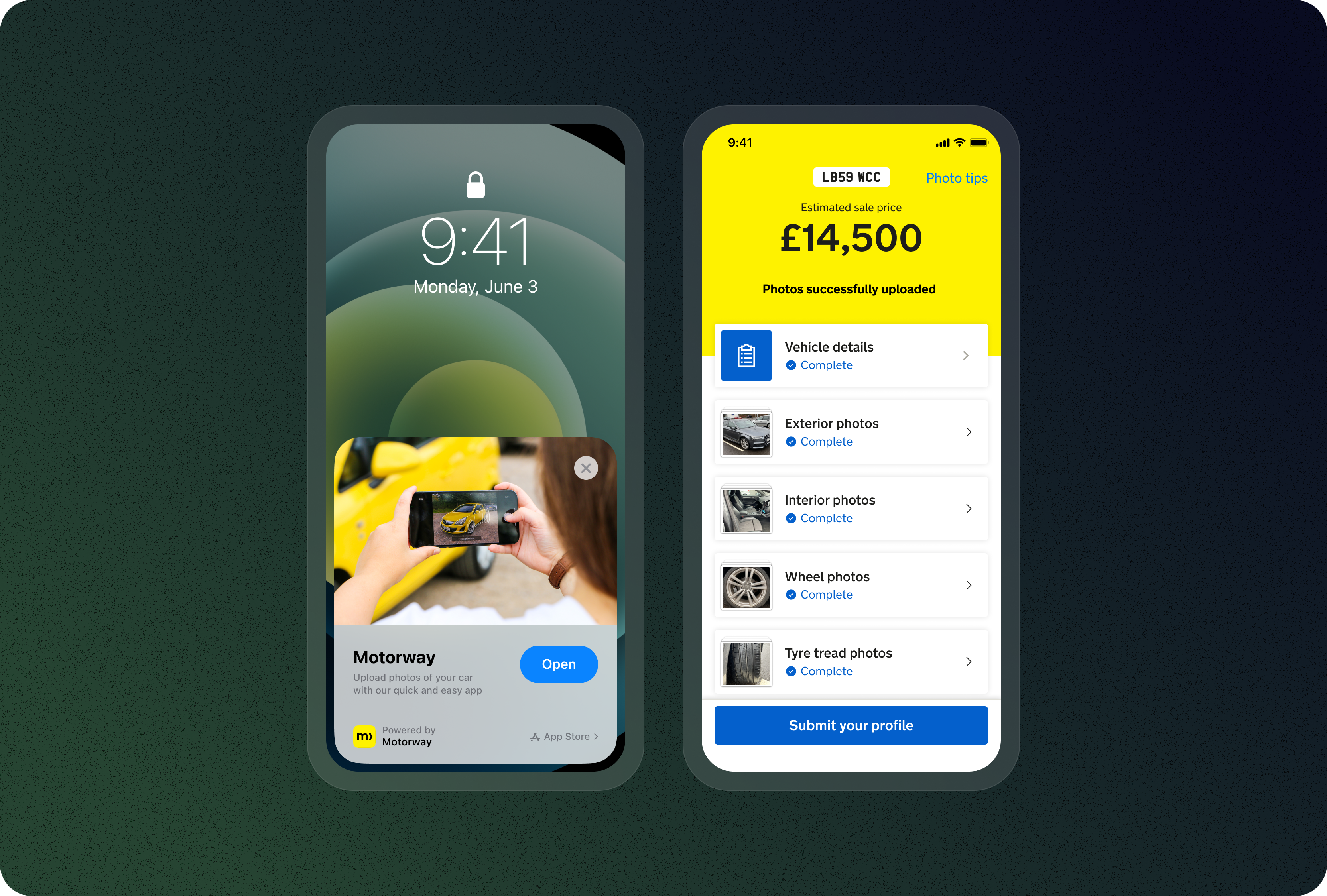
Built the App Clip for lightweight discovery - just the photo experience. Since App Clips require a full native app, we included authentication and profiling in the full app. We planned for every edge case: users jumping between web, iOS, App Clip, and later Android.
The Experience
Deliberately slower, but faster to a high-quality result
The core of the app was the photo-taking interface. Users saw a vehicle outline showing where the car should sit in the frame. The accelerometer detected if the phone wasn’t level, guiding them with real-time feedback. They could only capture when fully level.
After each shot, users reviewed the photo, compared it to examples, and decided whether to keep or retake. This flow was deliberately slower than our web app - but it was faster to a high-quality result. Users stopped retaking ten bad photos and started getting it right in two to three attempts.
Results
Strong enough to deprecate the web photo app
The native iOS experience delivered measurable improvements. Photo quality was significantly higher - dealers can now zoom to inspect details clearly. Photo retakes reduced by 76% as users got it right faster, and dealer confidence increased through better photos leading to more confident bids.
The results were strong enough that we’re now deprecating the web photo app in favour of iOS and Android native apps.
Reflection
Speed isn’t always the goal
Users didn’t want to rush through - they wanted to do it right the first time. Adding friction through guidance and verification was counterintuitive, but it worked. We walked in with a speed-first hypothesis, but analysing thousands of photos showed us the real problem: users needed confidence, not velocity.
Design with developers, not for them. We sat together from day one, mapping edge cases and validating technical feasibility before designing. Native capabilities build user trust - access to native camera, accelerometer feedback, and iOS components felt natural. And edge cases are features: with multiple platforms, planning for every handoff upfront saved major architectural headaches later.
Team